
Mary’s Promotion - Word Game
Wonderful.WordWord
4.12.26K Reviews
- Version
- 2.0.4
- Installs
- 1.00M
- Age Rating
- Teen
Screenshots
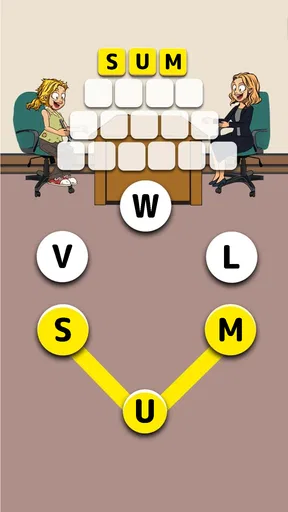
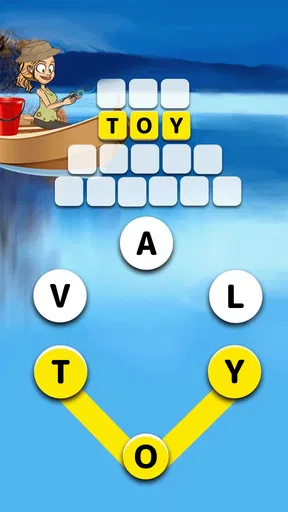
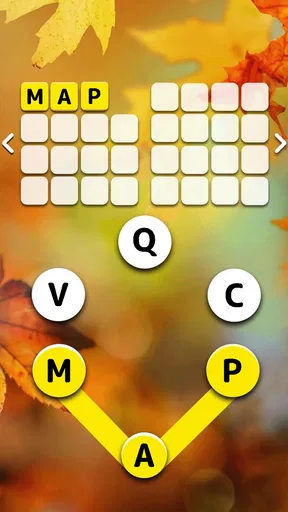
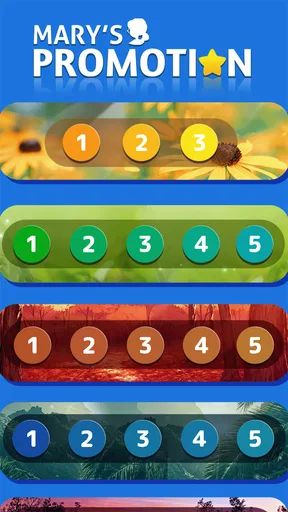
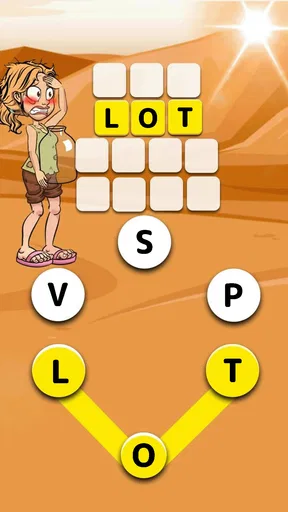
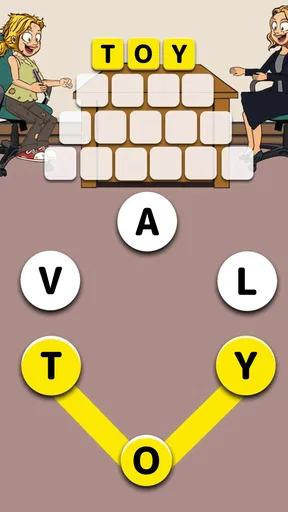
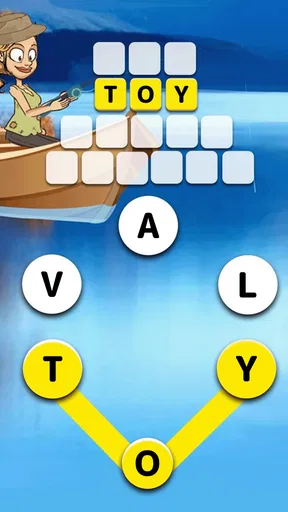
Our Review of Mary’s Promotion - Word Game
 Analysis by Appyee
Some word games ask you to find a hidden answer and move on. Mary’s Promotion takes a more work-themed approach, using word puzzles as the path toward a new job for its central character. I found that idea more useful than it first sounds: the career framing gives each puzzle a little context, while the actual appeal still comes from spotting words, testing possibilities, and improving through mistakes.
This is a free word game from Wonderful.Word, aimed at players who enjoy short vocabulary challenges rather than long strategy sessions. It has reached over a million installs and holds a 4.1 average from around nine thousand ratings, which suggests a healthy audience without making the game look universally loved. After spending time with it, my view is similarly balanced. It is easy to understand and pleasant for casual play, but the experience depends heavily on whether you enjoy its particular puzzle rhythm and can tolerate occasional friction when a solution feels less obvious than the game expects.
What playing Mary’s Promotion feels like
The central promise is simple: solve word challenges to help Mary progress toward a better position. That framing works best when I treat the game as a few-minute mental break. I can open it while waiting for an appointment, play through a small stretch of puzzles, and stop without feeling that I have abandoned a complicated campaign. The job theme gives the activity a sense of direction, even though the lasting attraction is the vocabulary exercise itself.
Its Teen content rating is worth noting for families choosing games for younger players. It is still fundamentally a word title, but parents who want something specifically designed for children may prefer a dedicated educational game with a more controlled vocabulary level. For adults and older teenagers, the rating is unlikely to be a deciding problem.
The game is free to install, which makes trying it straightforward. It does include optional purchases ranging from $0.99 to $99.99 per item, so I would approach it with the same care I use for any free-to-play title. The sensible approach is to play normally first, understand how often assistance becomes necessary, and only then decide whether spending improves the experience. A purchase should solve a genuine annoyance, not become the automatic response to every difficult clue.
Where players are most likely to get stuck
The first obstacle is not installation or complicated controls; it is the moment when several possible words seem to fit. Word games can make players assume that the longest or most familiar answer must be correct, but that instinct is not always helpful here. I found it better to examine the available letters and the shape of the answer before committing to the first plausible idea.
A useful habit is to separate recognition from confirmation. If a word appears in your head immediately, check every letter and position before submitting it. If it fails, do not simply repeat the same pattern with one minor change. Look for a different word family, a less common plural, or a familiar term used in a different grammatical form. This is especially important when the puzzle feels unfair: frustration often narrows attention to one interpretation.
Another sticking point is pacing. A player who expects constant progress may spend too long forcing a solution, then blame the game for losing momentum. I prefer a fixed attempt routine. I scan for obvious combinations, test the strongest candidate, and then pause briefly if the result does not fit. That short reset is more productive than tapping through guesses without a plan.
The best early tip is to treat a failed attempt as information rather than a setback. Record mentally which letter arrangement or word type did not work, then change the structure of your next search. This turns the puzzle into a process of elimination and makes the game feel less dependent on sudden inspiration.
Setup checks before blaming the game
Mary’s Promotion supports Android devices running version 6.0 or later. That requirement covers a wide range of phones and tablets, but compatibility is still the first thing I would check if installation fails or the game closes immediately. An older device may technically meet the operating-system requirement while struggling with storage, background processes, or outdated system components.
Before opening the game for the first time, I would make sure the device has enough free space and that the operating system is not waiting for a pending update. I would also close demanding apps running in the background. These are ordinary checks, but they matter because a word game can appear to be at fault when the real issue is a device under pressure.
If the installation stops, I would retry using a stable connection and confirm that the app store itself is working normally. Switching between a weak mobile signal and an unreliable wireless network can create confusing results, especially when the download appears complete but the installation has not finished correctly. Restarting the device is basic advice, yet it often clears a temporary store or memory problem without requiring more drastic steps.
On a phone that meets the requirement but still behaves badly, I would test whether other apps are also freezing. If several unrelated apps show the same symptoms, the problem is probably broader than this particular game. If only Mary’s Promotion is affected, reinstalling may be reasonable, but I would first consider whether local progress could be lost. I would not remove the app casually if the game does not clearly preserve progress through an account or another recovery method.
The current version is 2.0.4, so checking that the installed build is current is another sensible step. I would avoid downloading modified versions from unfamiliar sources. A word game is not worth the security risk, and unofficial packages can introduce crashes that are then mistakenly attributed to the original release.
Recovering your routine when a puzzle or session goes wrong
When a session becomes unresponsive, my recovery order is deliberately conservative. I first wait a moment, then leave and reopen the game if the device allows it. If that does not help, I restart the phone before clearing anything. I treat clearing app data as a last resort because it can remove local progress, settings, or other information stored on the device.
If a puzzle seems to reject an answer that looks correct, I would check spelling, singular and plural forms, and whether I have entered every character in the expected order. I would also make sure that a tap has not been missed or registered twice. Touchscreen input can create the impression of a vocabulary error when the real problem is simply an incomplete entry.
There is a practical difference between being stuck and being blocked. Being stuck means I can still interact with the puzzle but cannot find the answer. Being blocked means the screen does not respond, the game repeatedly closes, or progress cannot continue after a valid action. For the first case, I change my solving method. For the second, I use the basic restart and device checks rather than wasting time trying random answers.
I also recommend taking a screenshot of a particularly confusing puzzle before restarting or reinstalling. That does not guarantee recovery, but it preserves the visible context and helps distinguish a difficult clue from a technical failure. If support is available through the relevant app-store channel, a clear description of what happened is more useful than simply saying that the game is broken.
One subtle trade-off is the temptation to use assistance too quickly. Help can restore momentum, but using it at the first sign of difficulty removes the learning value that makes word games satisfying. I prefer to set a personal limit: make a few thoughtful attempts, step away briefly, and only then consider help. This keeps the game relaxing instead of turning every uncertain answer into a purchase decision.
When the app is probably not the cause
Not every failed session points to a defect in the game. A phone with nearly full storage may update or launch inconsistently. Aggressive battery-saving settings can interrupt background activity. A device that has been running for many days without a restart may also behave unpredictably. These issues are not unique to Mary’s Promotion, and fixing the underlying condition can improve several apps at once.
Network conditions can create another false lead. Even when the core activity feels like an offline word challenge, startup, updates, or optional elements may still depend on normal app communication. If the game works in one location but not another, I would compare connections before assuming that a puzzle or account state is damaged.
It is also worth checking the difference between an app problem and an expectation problem. Players coming from crossword apps may expect clues and definitions. Someone used to anagram games may expect every supplied letter to be used in a familiar word. Mary’s Promotion has its own way of presenting word progress, so an answer that feels obvious under one game’s rules may not be accepted under another’s. Reading the instruction shown at the beginning of a new puzzle type can prevent a surprising amount of frustration.
Compared with a traditional crossword, this game is easier to start because it does not require a broad grid-solving routine or a long uninterrupted sitting. Compared with a dictionary-focused word app, it offers more of a light game journey through Mary’s employment theme. Compared with a competitive word game, it is better suited to private practice than to proving speed against other people. Those differences matter more than small interface preferences: choose it for guided casual play, not for deep crossword construction or head-to-head competition.
Who will enjoy it, and who should skip it
I would recommend it to players who like vocabulary puzzles but want a softer reason to keep moving from one challenge to the next. It suits commuters, casual players, and anyone who enjoys turning short breaks into a little mental exercise. The job-progression idea also gives the game a more approachable personality than a bare list of unrelated word boards.
It is less suitable for someone looking for a serious language-learning course. Solving words can strengthen familiarity and recall, but it is not the same as structured lessons, pronunciation practice, or guided grammar study. I would also steer highly competitive players toward a title built around timed matches, rankings, or direct multiplayer if those are the main reasons they play word games.
Players who dislike hints, optional purchases, or any possibility of encountering a puzzle that feels ambiguous should be cautious. The free entry point is attractive, but the full experience may feel less comfortable if progress repeatedly depends on assistance. I would not install it expecting every answer to be immediately clear or every session to deliver a dramatic reward.
A realistic everyday way to use it
My preferred routine is to use Mary’s Promotion as a short transition between tasks. For example, after finishing lunch, I can play a few puzzles before returning to work. I begin without a hint, read the available word pattern carefully, and give myself enough time to test a couple of alternatives. If I become irritated, I stop rather than turning the break into another obligation.
This routine has two advantages. First, it prevents the game from taking over a longer block of time than intended. Second, returning later can make a difficult word easier to see because I am no longer fixated on the first idea. That delayed-solving approach is one of the strongest reasons to keep a word game installed: the challenge can remain available without demanding a full evening.
For a family setting, I would play alongside a teenager rather than assuming the game is automatically educational. Discussing why a word fits can make the activity more engaging, while simply handing over the phone may reduce it to repeated guessing. Because the content rating is Teen, I would still use personal judgment about whether the tone and puzzle vocabulary suit a particular child.
My practical verdict
Mary’s Promotion is a friendly, free word game with a clear hook and a low commitment level. Wonderful.Word has made the career theme central enough to give the puzzles a sense of movement, while keeping the basic activity accessible to anyone who enjoys finding and checking words. The game works particularly well when I want a compact challenge that I can pause without losing the thread of a larger strategy.
Its limitations are just as clear. The theme will not replace strong puzzle design for players who demand sophisticated clues, and the free-to-play structure means I would pay attention to how often assistance becomes part of the routine. Technical trouble should be approached methodically: check the Android requirement, update the installation, protect local progress, and separate device or network problems from genuine in-game issues.
With those expectations in place, I think it is worth trying. I would install it for casual vocabulary practice, short waiting-room sessions, and a gentler alternative to competitive word apps. I would skip it if my priority were formal language study, advanced crossword solving, or multiplayer pressure. The game’s strongest quality is not that it reinvents the genre; it is that it gives ordinary word puzzles a personable direction and enough structure to make a few spare minutes feel purposeful.
For me, that makes the free version easy to recommend with one condition: play thoughtfully, use help sparingly, and do not confuse a stubborn puzzle with a broken phone. If that style suits you, Mary’s Promotion can become a pleasant little habit rather than just another app opened once and forgotten.
Verdict
Strengths of Mary’s Promotion - Word Game
- Simple word puzzles are easy to learn and suitable for casual play.
- Short levels make it convenient to play during quick breaks.
- Progressive challenges help maintain interest over time.
- Clean presentation keeps the gameplay focused on solving words.
- Useful for practicing spelling and expanding everyday vocabulary.
Limitations of Mary’s Promotion - Word Game
- Some puzzles may feel repetitive after extended play sessions.
- Difficulty can vary noticeably between consecutive levels.
- Hints may reduce the challenge for experienced word-game players.
- Progress may depend on completing promotional or reward-based tasks.
- The game may not appeal to players seeking action or deep strategy.
Similar Picks in This Category
View All
Word Search - Word Puzzle Game
Bluetile4.8

Word Search Quest - Puzzles
Blackout Lab4.8

CodyCross: Crossword Puzzles
Fanatee, Inc.4.7

Words of Wonders: Crossword
Fugo Games4.9

Wordscapes: Word puzzle game
PeopleFun4.7

Word Search Explorer
PlaySimple Games4.9
Frequently Asked Questions
What is Mary’s Promotion - Word Game?
Mary’s Promotion - Word Game is a casual word puzzle game centered on helping Mary advance in her career by completing vocabulary-based challenges. Players typically solve anagrams, word searches, or related letter puzzles while progressing through different stages. Its combination of short levels, simple controls, and light progression makes it suitable for quick sessions, although the exact challenge format and available content may vary by version or update.
How do you play Mary’s Promotion - Word Game?
Gameplay generally involves examining a group of letters, identifying valid words, and entering or connecting them to complete each puzzle. As you advance, levels may become more difficult by introducing longer words, fewer clues, or more complicated letter combinations. The game is designed to be accessible for beginners, but later puzzles can require careful observation, a broad vocabulary, and occasional use of hints when a solution is difficult to find.
Is Mary’s Promotion - Word Game free to download and play?
Mary’s Promotion - Word Game may be available as a free download, but users should check the store listing for the current pricing and monetization details before installing it. Free versions of word games commonly include advertising, optional purchases, or paid hint packages. Some features may also depend on an internet connection. Reviewing the app’s permissions, in-app purchase information, and recent user comments is recommended.
Does Mary’s Promotion - Word Game work offline?
The core word puzzles may be playable without a continuous internet connection, which is convenient for travel or areas with limited service. However, certain functions—such as advertisements, cloud saving, updates, leaderboards, analytics, or purchases—could require connectivity. Because offline behavior can differ between Android and iOS releases, it is best to test the game after installation and confirm whether progress is saved correctly when the device is disconnected.
Is Mary’s Promotion - Word Game suitable for children and all players?
The game’s word-puzzle format is generally appropriate for casual players, students, and adults who enjoy vocabulary challenges. Nevertheless, parents should review the official age rating, advertising content, privacy information, and any optional purchases before allowing children to play. Difficulty and language support are also important considerations: the game may be most enjoyable for users comfortable with the supported language and familiar with common word-game mechanics.
Play our best games!


